
Both on main
By morsechimwai ·
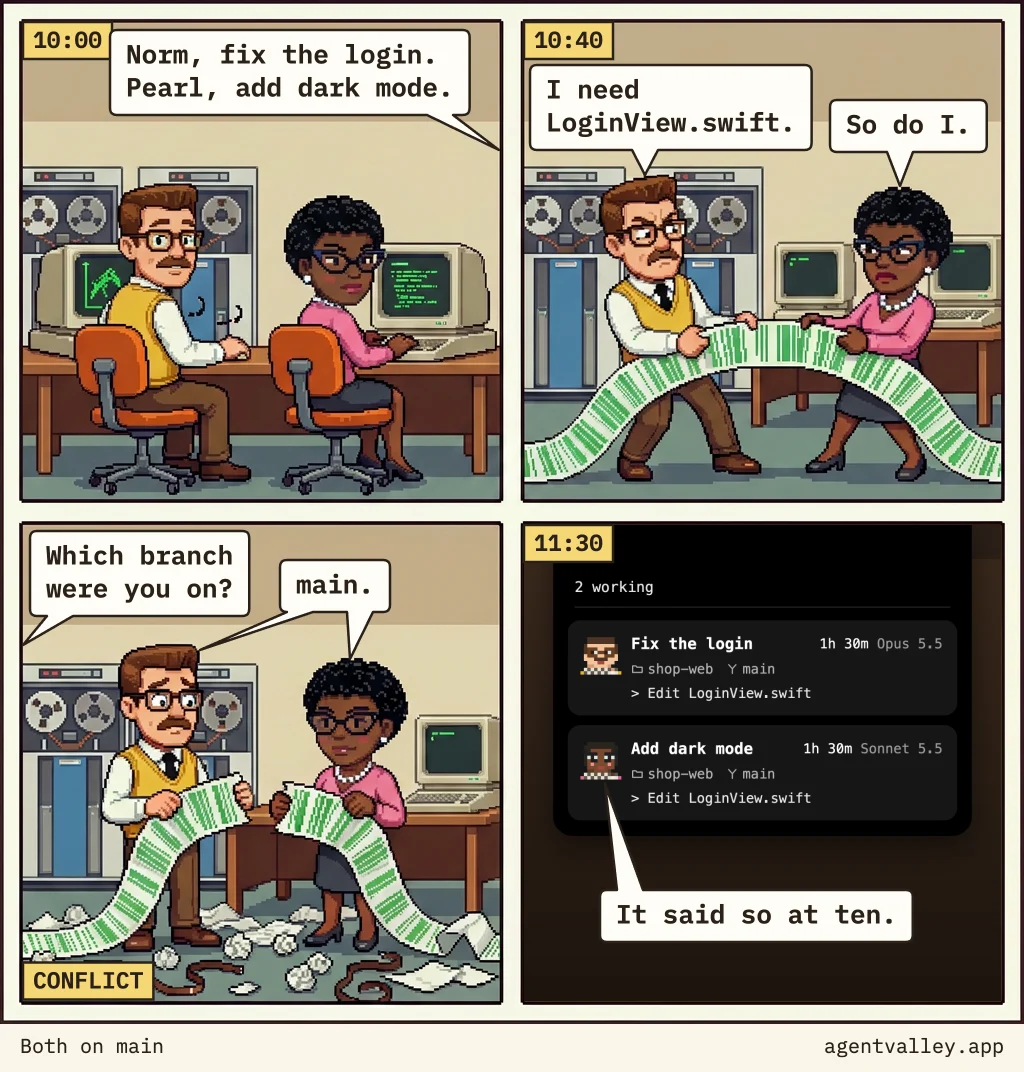
Two tasks, two Claude Code sessions, one folder. They meet in the same file, on the same branch, before anyone looks.
What they say
- 10:00Norm and Pearl at their terminals. You, from off the panel: “Norm, fix the login. Pearl, add dark mode.”
- 10:40The two pull one long printout between them. Norm: “I need LoginView.swift.” Pearl: “So do I.”
- LaterThe printout lies torn in half on a floor of crumpled paper and loose tape. The tag reads “CONFLICT”. You: “Which branch were you on?” Norm and Pearl: “main.”
- 11:30The AgentValley panel: both sessions in shop-web, both on main, both on “Edit LoginView.swift”. Pearl: “It said so at ten.”
Two sessions, one folder
Start two Claude Code sessions in the same folder, and they share one set of files on one branch. Neither knows the other is there. An edit from one can break what the other is halfway through, the tests fail for reasons neither of them wrote, and a commit from one can carry half of the other's work. In the comic it's a torn printout. In a repository it's two tasks tangled on main.
Give each session its own worktree
A git worktree is a second checkout of the same repository: its own folder and its own branch, sharing one history. Start each session in one, each in its own terminal:
claude --worktree fix-login
claude --worktree dark-mode
Claude Code makes each folder under .claude/worktrees/, on a new branch from your repository's default branch: worktree-fix-login and worktree-dark-mode. Add .claude/worktrees/ to your .gitignore. A worktree is a fresh checkout, so files git ignores, like .env, aren't in it. Name them in a .worktreeinclude file at the root, and Claude Code copies them in.
When you leave a session that has work in its worktree, Claude Code asks whether to keep the worktree or remove it. Keep it, and merge the branch the way you would merge anyone's.
See which is which
git worktree list prints every worktree with its folder and branch. It tells you where each session is, not what it's doing.
AgentValley shows every Claude Code session as a card in the notch's panel: the project's name, its branch, a small mark when the session runs in a worktree of its own, and the step it's on, like Edit LoginView.swift. Two cards in one project, both on main, both in the same file: that is the sign. AgentValley doesn't warn you about it. It shows it, from ten o'clock on, and someone has to look.
AgentValley is free and open source.
A small valley of programmers in your notch. Needs macOS 15 or later and Claude Code.
Download for MacOr with Homebrew:
brew install --cask morsechimwai/