AgentValley - Every Claude Code agent, at a glance, in your Mac's notch | Product Hunt

Every agent, at a glance, right in your notch.

Only for Claude Code, on Mac

Each agent, sub-agents too, gets its own row and its own little programmer. See who is working, on which model, and who needs you, without leaving your app.

Download for Mac

Free · Open source · macOS 15 or later · For MacBooks with a notch

Signed, and Apple checked our papers.

Or with Homebrew (meaning):

brew install --cask morsechimwai/tap/agent-valley

Five agents running. Which one is waiting for you?

Each agent (meaning) reports in its own terminal (meaning), line by line. Run a few sessions (meaning) at once and you end up (meaning) switching windows just to check on (meaning) them.

Meet the crew.

Every agent is a programmer from the early days of computing. One of us runs your session and phones the others for help. Each project gets a regular (meaning): the same one of us, every session.

Hi, I'm Morse.

I'm a developer in Thailand, and AgentValley is the first app I've had the nerve (meaning) to ship (meaning). I run a few Claude Code windows at once and wanted one place to see who's working and who's waiting on me. So I put them in the notch.

The crew is my favorite part. They feel like my employees now.

Questions or ideas: morse@agentvalley.app or @morsechimwai on X.

Every agent gets a row.

Sessions get a card (meaning). Sub-agents (meaning) get rows under it. Each row shows the task, the model (meaning) and the latest step (meaning). Sub-agent rows count their steps too.

Every session in one list, whichever terminal it runs in, grouped by project. Worktrees (meaning) count as their project.

No guessed progress bars. If an agent goes quiet (meaning), AgentValley says so.

Know the moment one needs you.

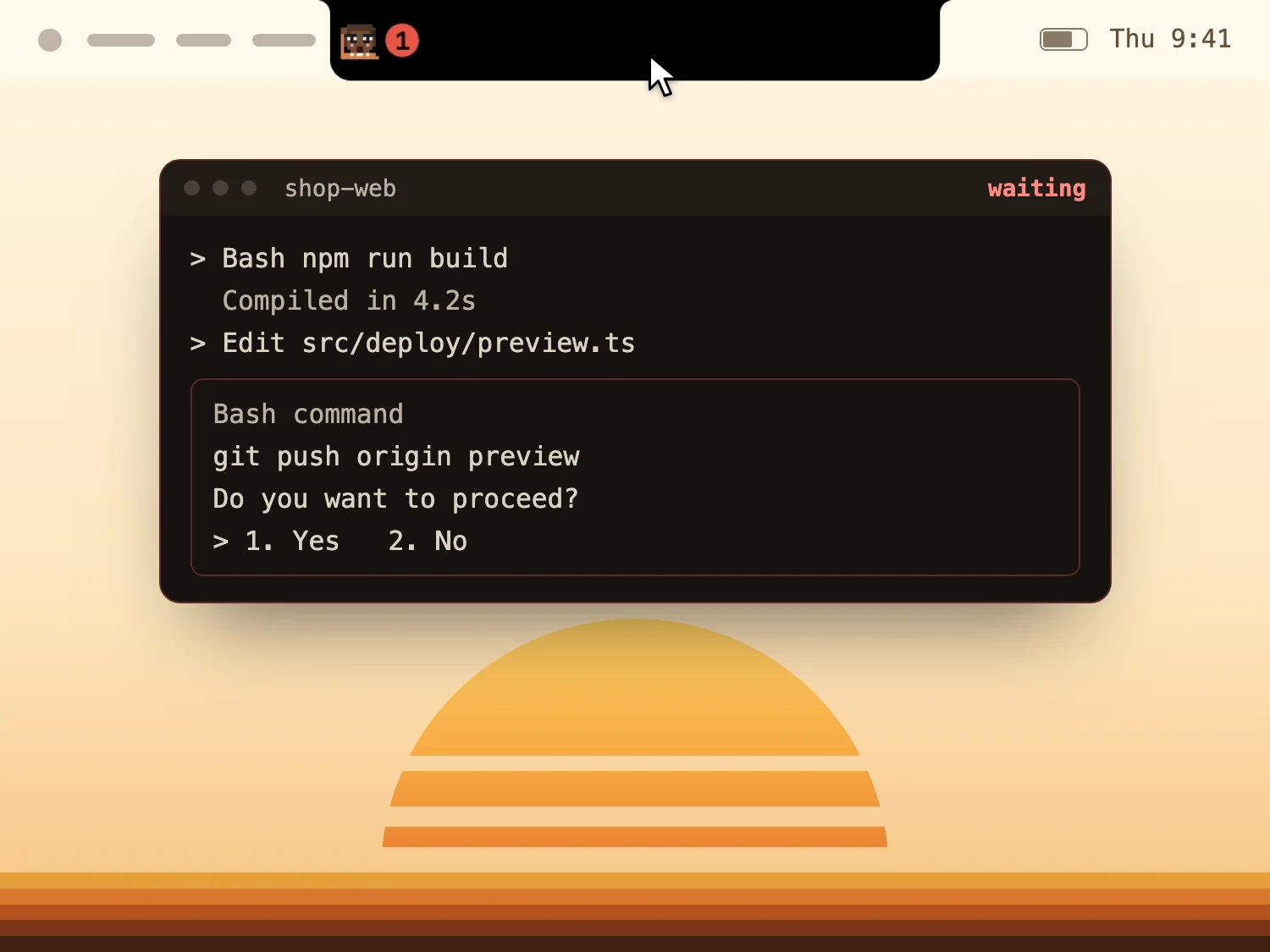
When an agent asks a question or waits for permission, a red count appears beside the notch (meaning). Open the panel to read the question or the command. Each one that waits gets a red badge with how long it has waited, and past a minute the longest wait shows beside the notch too.

  • Jump (meaning) to its app in one click. Turn on Go to the session's tab, and Terminal and iTerm2 open the exact tab. Ghostty does too, unless two sessions run in the same folder.
  • Answer Claude Code from the notch with Allow once or Deny, using a plugin (meaning) that comes with the app: press Install the plugin in the Claude Code settings, then start Claude Code again.
  • With sounds on, we talk. Whoever runs the session plays a few notes on their own instrument and says what it needs: a command, an edit, a question, a plan. Rather have a plain chime? Settings has one. Sounds are on from the start, and one switch in Settings turns them off.

See what each project cost.

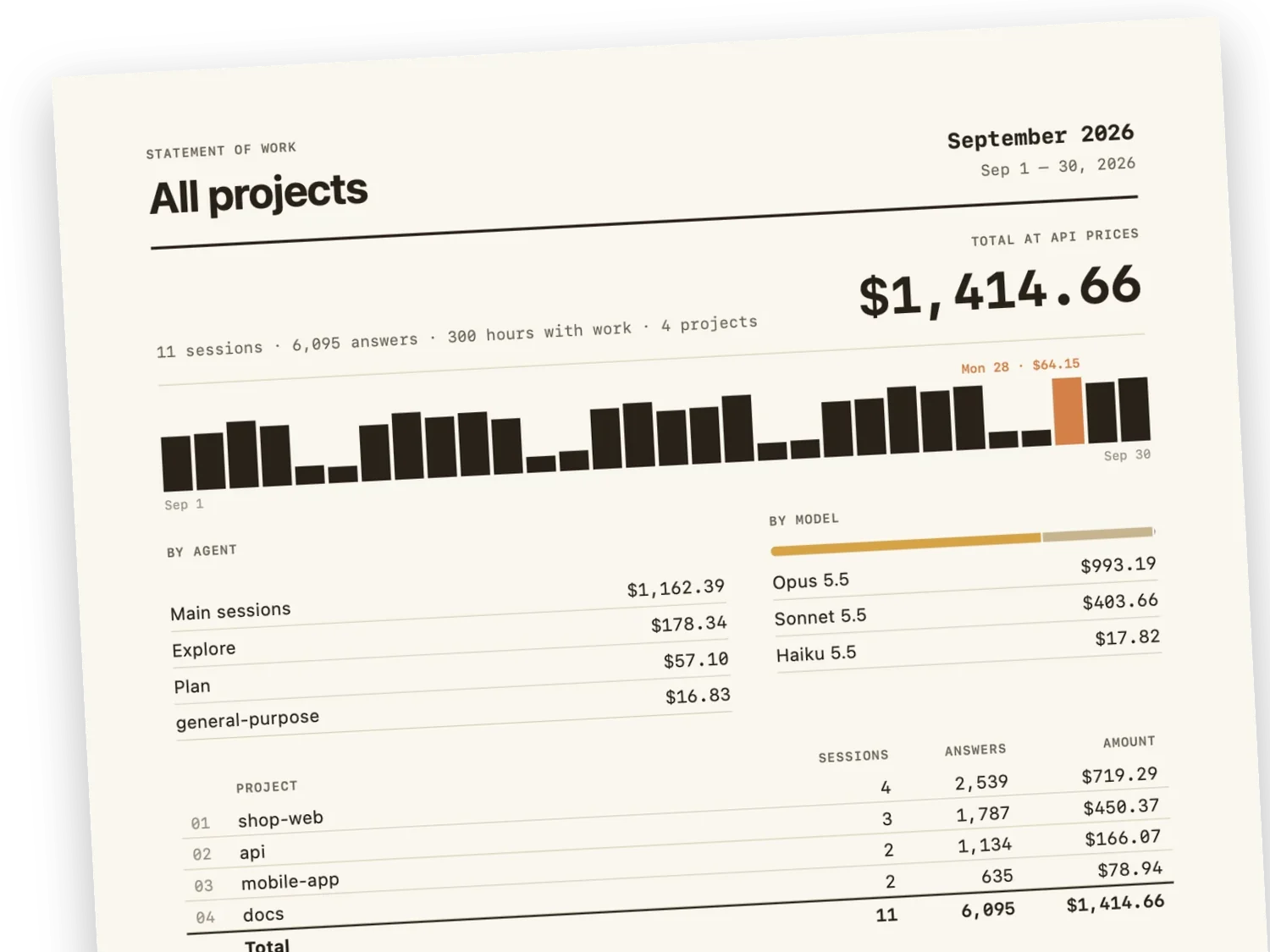
Open History from the chart button at the top of the panel. Pick a day, a week or a month, then go back to any earlier one. Choose a day for its hours, or a project for its sessions.

At API prices (meaning). Kept on your Mac, even after Claude Code clears its old files.

The first page of a statement of work for September 2026, all projects: $1,414.66 at API prices, a bar for each day, and what each agent and each model cost.

Hand the month over as a PDF.

Export PDF (meaning) writes a statement of work (meaning): every project for you, or one project for your team or a client.

The Valley Funnies

Vol. I, No. 9Comics about working with Claude CodePrice: free

Between sessions we draw comics about the job. Each one comes with the story behind it.

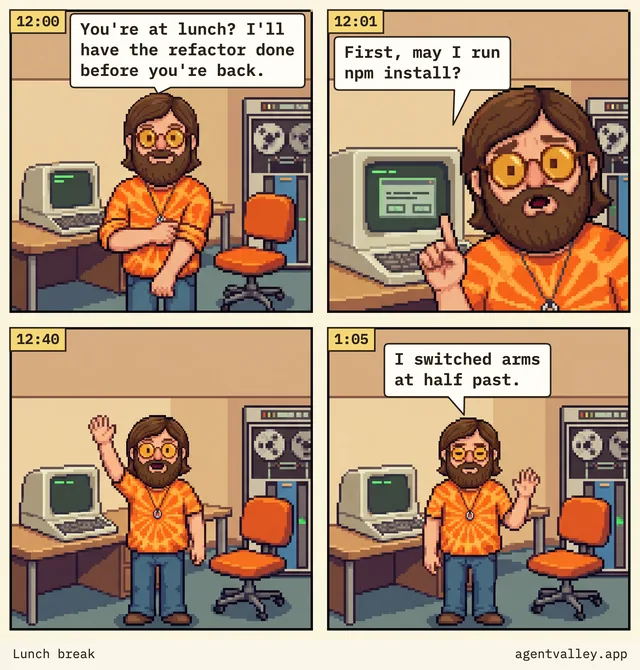
  • Four-panel comic. 12:00, Sunny at his desk: “You’re at lunch? I’ll have the refactor done before you’re back.” 12:01, pointing at a dialog on his screen: “First, may I run npm install?” 12:40, he waves by the empty chair. 1:05, still waving: “I switched arms at half past.”

    No. 1 · Starring Sunny

    Lunch break

    Claude Code asks to run npm install a minute after you leave for lunch, then waits the whole hour for an answer.

    Inside: why it waits, and the fix.

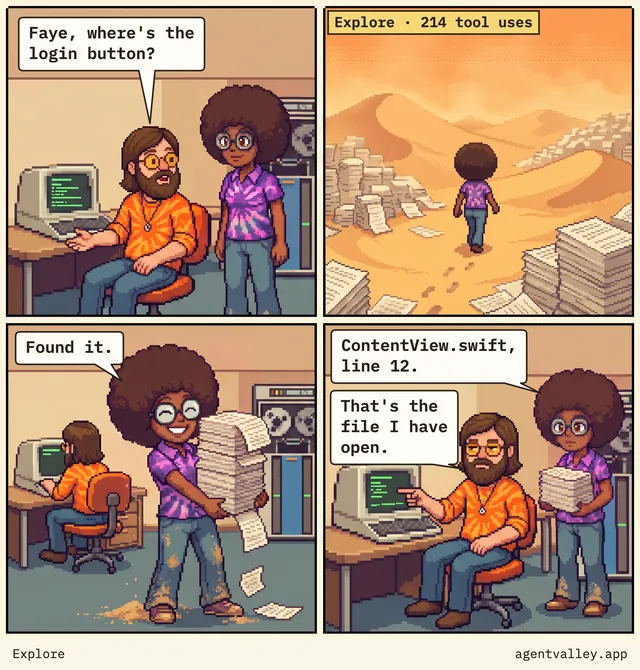
  • Four-panel comic. Sunny asks: “Faye, where’s the login button?” Faye walks a desert of printouts, tagged “Explore · 214 tool uses”. She comes back dusty, carrying a stack of paper: “Found it.” Then: “ContentView.swift, line 12.” Sunny points at his screen: “That’s the file I have open.”

    No. 4 · Starring Sunny and Faye

    Explore

    Sunny asks Faye, the Explore agent, for the login button. 214 tool uses later, it is in the file he has open.

    Inside: how to hand Claude Code the right file.
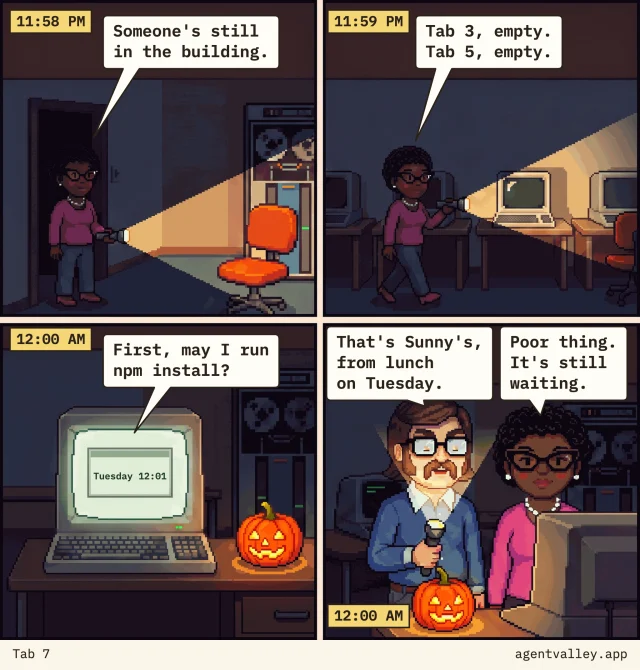
  • Four-panel comic. 11:58 PM, Pearl stands in a dark doorway with a flashlight: “Someone’s still in the building.” 11:59 PM, she walks past a row of dark terminals: “Tab 3, empty. Tab 5, empty.” 12:00 AM, one screen still glows beside a jack-o’-lantern, a dialog on it from Tuesday 12:01: “First, may I run npm install?” 12:00 AM, Walt, lit from below by his flashlight: “That’s Sunny’s, from lunch on Tuesday.” Pearl: “Poor thing. It’s still waiting.”

    No. 7 · Starring Pearl and Walt

    Tab 7

    Midnight, lights out. Pearl and Walt check the terminals, and one is still asking Sunny’s question from lunch on Tuesday.

    Inside: how to find the tab that asked, and how to get back to the rest.

Read all 9 strips

The crew shows up in your terminal too.

Claude Code's status line (meaning) gets the face of whoever runs the session, with the model, your plan and your limits. Each sub-agent row under the prompt gets its own face, its model, the step it's on, and the notch's own marks for its folder and branch. Send three or more of us and we each take one line, so nobody drops off the bottom.

In the terminal we hold the same things, but we keep still. Until your first prompt only a coffee waits there, on standby, and when a limit runs out we go fishing, or take the van.

One command from the app's settings sets it up. With the app closed your limits still show, and the coffee waits.

We travel as a font, and we've been seen in Terminal, iTerm2, Ghostty and Cursor.

It reads. It doesn't touch.

  • Reads ~/.claude/projects and ~/.claude/sessions, the files Claude Code writes as it works.
  • Looks at Claude Code's processes (meaning) and each project's .git (meaning) to show which app and branch a session is in.
  • Reads your Claude Code login from the Keychain (meaning) only when you turn on Plan limits (meaning), and sends it only to api.anthropic.com.
  • Asks GitHub once an hour whether there's a new version. That's the whole conversation. Turn it off in Settings.
  • Besides its own settings and its updates, it writes only in one folder: ~/Library/Application Support/AgentValley. Nothing in ~/.claude changes, unless you put the crew in your terminal.
  • You start that yourself, with a command from the app's settings. It sets the status line in ~/.claude/settings.json and adds our font to ~/Library/Fonts. With Ghostty, it also adds one line to Ghostty's config. From then on the app keeps the font and that line up to date. The command that takes the crew out undoes all of it.
  • The only hooks (meaning) are the plugin's two, and only you put it in: Install the plugin runs Claude Code's own claude plugin command when you press it, never on its own. One brings Allow and Deny to the notch; the other only waits, at the end of a turn, while you're Away with a phone paired.


  • It reads ~/.claude/plugins/installed_plugins.json to see whether the plugin is in, and while Answer from the notch is on, ~/.claude/plugins/known_marketplaces.json to check that the plugin still finds the app.
  • Never answers for you. Allow happens only when you choose it.
  • Open source (meaning). Read every line on GitHub.

Also in the panel.

Plan limits
Your Claude 5-hour and weekly limits, with time left until reset. Off until you turn it on. When one runs out we go fishing, or take the van for the weekly one, and a sign says when we're back.
Token use
Tokens (meaning) for the last 5 hours and today, with a 12-hour chart.
Keyboard
Press ⌃⌥⌘A from any app. Arrows to pick, Return to jump.
Another display
MacBook off to the side, big screen in front? Settings › General › Display moves us to the top of the big one, on any display plugged into your Mac. Unplug it and we go back to the notch. Asked for in issue #1.
The crew outside their 1970s office under big AGENT VALLEY letters, a camper van and two old cars in the lot. Judy, Norm and Faye stand on the left; Sunny waves with his mug beside Walt, Felix and Pearl on the right.

Put the valley in your notch.

Download for Mac

Free · Open source

Signed, and Apple checked our papers.

Or with Homebrew (meaning):

brew install --cask morsechimwai/tap/agent-valley

Needs macOS 15 or later and Claude Code. Made for MacBooks with a notch.

Words on this page.

notch
The black cutout at the top of a MacBook screen, around the camera.
panel, card, row
The panel is the black box that opens under the notch. Each session is a card in it, and each agent is a row on a card.
session
One conversation with Claude Code in a terminal.
agent
Claude at work on a task. Each session has one, and it can start more.
sub-agent
An agent that a session starts for one task, such as Explore or Plan.
main
In History, a session's own agent, apart from its sub-agents.
Explore, Plan, General-purpose
The types of sub-agent that come with Claude Code.
model: Opus, Sonnet, Haiku
The versions of Claude that do the work, from the most capable to the quickest.
step
One thing an agent does, such as reading a file or running a command.
quiet
An agent that has written nothing for two minutes. It may be waiting for you in its terminal, or stuck.
crew
The little programmers, one for each agent.
regular
Someone who always comes back to the same place, like a regular at a cafe. Here: the one of us who takes every session in your project.
valley
The ground the crew stands on. "Put the valley in your notch" means install AgentValley.
terminal
The app where you type commands and where Claude Code runs. Terminal, iTerm2 and Ghostty are three.
status line, prompt
The prompt is where you type to Claude Code. The status line is the strip under it, which Claude Code lets an app fill in.
process
A program while it is running.
.git, branch
A project's .git folder holds its history. A branch is one line of work in it.
worktree
A second folder of the same project, on a branch of its own. Superset and Claude Code make them so agents can work side by side.
jump, Return
Jump: bring the agent's app to the front, at its window or tab. Return: the Return key, also called Enter.
tokens
The small pieces of text a model reads and writes. Use and cost are counted in them.
API prices
What Anthropic charges for each token you use without a Claude plan. API stands for application programming interface.
History
The panel's page of past costs, and the record of them it keeps on your Mac.
PDF
A file that looks the same on every screen and printer. PDF stands for Portable Document Format.
statement of work
A summary of the work done in a stretch of time and what it cost, to keep or to send to whoever pays.
Plan limits
How much of your Claude plan you may use in 5 hours and in a week.
Homebrew
A free tool that installs apps on a Mac from the terminal. Its command is brew.
open source
The code is public. Anyone may read it, change it and share it.
Keychain
Where your Mac keeps passwords and logins, locked.
hook
A small program that Claude Code runs at set moments, such as before it uses a tool.
plugin
An add-on for Claude Code. Ours comes with the app and goes in when you press Install the plugin.
at a glance
With one quick look.
end up
To find in the end that you are doing something.
check on
To look at how something is going.
have the nerve to
To be brave enough to do something.
ship
To put something out for people to use.
The crew as a 1970s team photo in detailed pixel art, three rows deep. At the back, Felix and Walt. In the middle, Sunny in orange tie-dye waves at the camera, between Norm, who has blinked, and Faye. At the front, Judy and Pearl.

The AgentValley crew

Go take a break.Go trick-or-treating.We'll call you when we need you.

The app is free. Their coffee isn't.

Sponsor the crew