
Explore
Sunny asks where the login button is. Faye, the Explore sub-agent, searches the whole repository and comes back with the answer: the file Sunny has open.
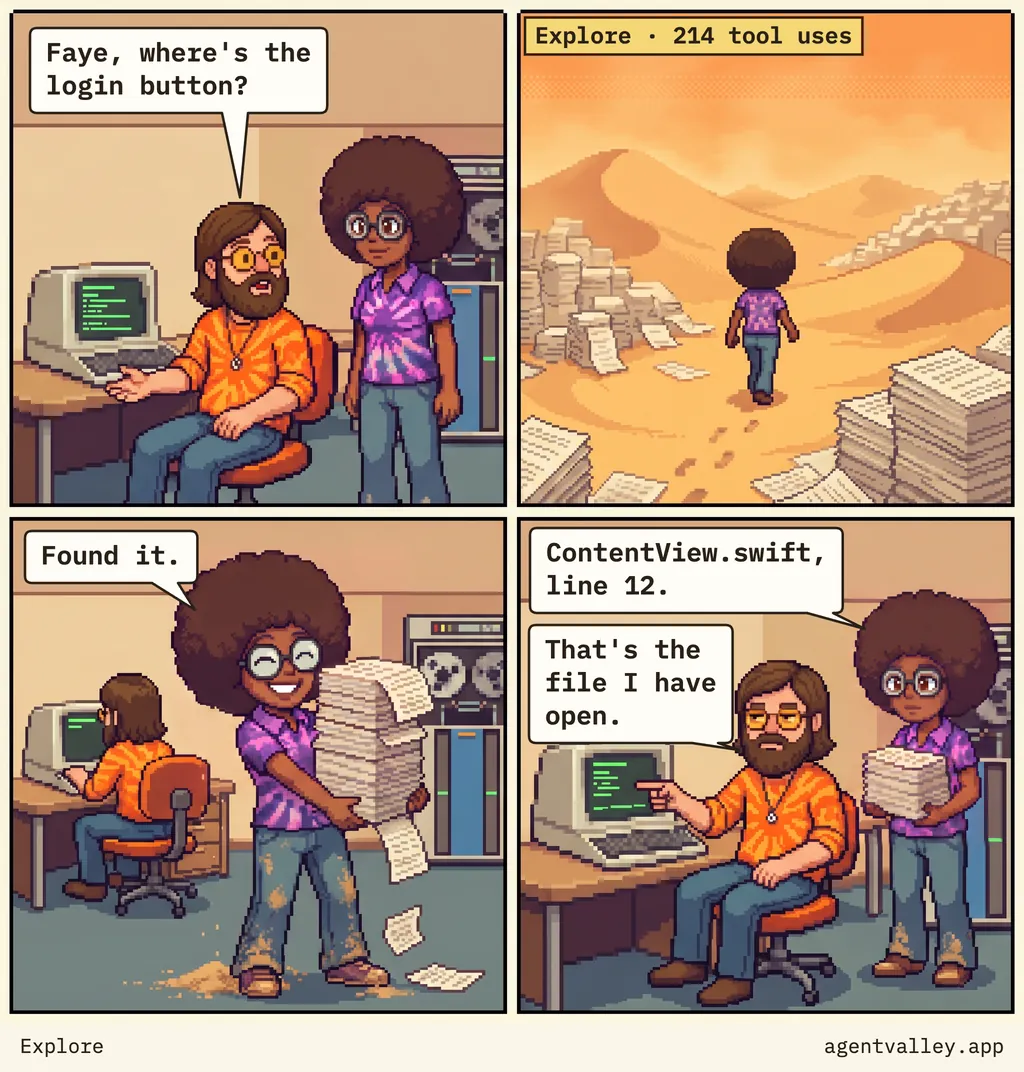
What they say
- 1Sunny at his desk: “Faye, where’s the login button?”
- 2Faye walks a desert of printouts. The tag reads “Explore · 214 tool uses”.
- 3She is back, dusty, carrying a stack of paper: “Found it.”
- 4Faye: “ContentView.swift, line 12.” Sunny points at his screen: “That’s the file I have open.”
Who Faye is
Explore is one of the sub-agents that come with Claude Code. Its docs call it a fast, read-only agent for searching and analyzing codebases: it reads, and it can't write or edit. Claude sends it off quick, medium or very thorough, depending on the question.
Where's the login button?
names no place to look, so the place to look is the whole repository. That is the desert in the second panel.
Hand it the file
Put @ in front of a path, and Claude reads that file before it answers, instead of hunting for it:
Where's the login button in @Sources/App/ContentView.swift?
In an editor it can be shorter still. In VS Code, Claude Code sees the text you select and which file you have open, even with nothing selected. In JetBrains IDEs, the current selection or tab is shared with it. Run it there, and the file I have open
is a place it already knows.
See the search while it runs
AgentValley gives every sub-agent a row of its own under its session in the notch, with the task, the model and the step it is on, and the row counts its steps. A search that is still going at step 200 is easy to spot while it runs, rather than in the bill afterwards.
AgentValley is free and open source.
A small valley of programmers in your notch. Needs macOS 15 or later and Claude Code.